
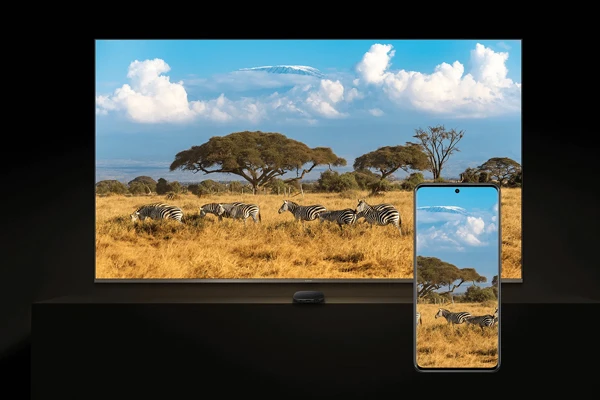
Streaming services have changed how we watch TV. Over 70% of households in the United States now use some form of streaming device. An Android TV box is popular for its wide range of content.
An Android TV box turns your TV into a smart one. It gives you access to many streaming services, apps, and games. But picking the right one can be hard. This article will help you choose the best Android TV box for your home.
Knowing the key features and benefits of different Android TV boxes helps. This way, you can pick one that improves your viewing experience.
Table of Contents
What is an Android TV Box?
Android TV boxes are small devices that plug into your TV. They give you access to lots of streaming services and apps. You can use a remote or a mobile app to explore different entertainment options.
How Android TV Boxes Transform Your Television
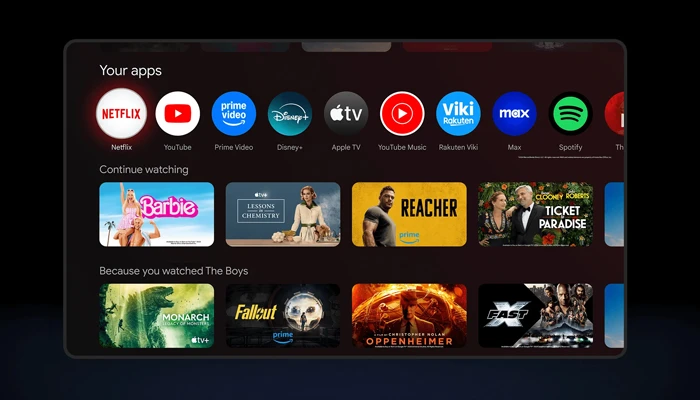
Android TV boxes turn your TV into a smart TV, even if it’s not already. They let you watch shows and movies on a bigger screen. You can use services like Netflix, Hulu, and Amazon Prime Video.
These devices support 4K Ultra HD, making your viewing experience better. They also have voice control through Google Assistant. This makes it easy to find what you want to watch or control playback.
Core Components and Technology
An Android TV box has a processor, RAM, storage, and connectivity like Wi-Fi and Bluetooth. The processor makes the device run smoothly. It’s important for handling tasks like 4K video playback.
| Component | Description | Importance |
| Processor | Handles device performance | High |
| RAM | Temporary storage for data | Medium |
| Storage | Holds apps, data, and content | High |
| Connectivity | Wi-Fi, Bluetooth, HDMI | High |
Why an Android TV Box Might Be Right for You
Looking to upgrade your TV experience? An Android TV box could be the answer. These devices turn your TV into a smart entertainment hub. They offer a wide range of content and apps.
One big plus of an Android TV box is its access to streaming services. With the Google Play Store, you can get apps for Netflix, Hulu, and more. This opens up a huge library of movies, TV shows, and music.
Streaming Capabilities and Content Access
Android TV boxes support many streaming services like Netflix, Hulu, and Amazon Prime Video. This lets you watch your favorite shows and movies on a bigger screen. You might even see better quality.
| Streaming Service | Content Offered | Availability on Android TV Box |
| Netflix | Movies, TV Shows, Original Content | Yes |
| Hulu | TV Shows, Movies, Live TV | Yes |
| Amazon Prime Video | Movies, TV Shows, Original Content | Yes |
Gaming and Additional Entertainment Options
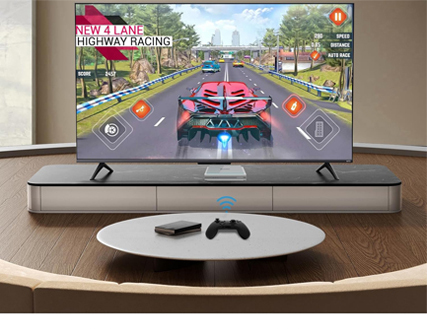
Android TV boxes aren’t just for streaming. They also offer gaming. You can find games in the Google Play Store for all ages and tastes.
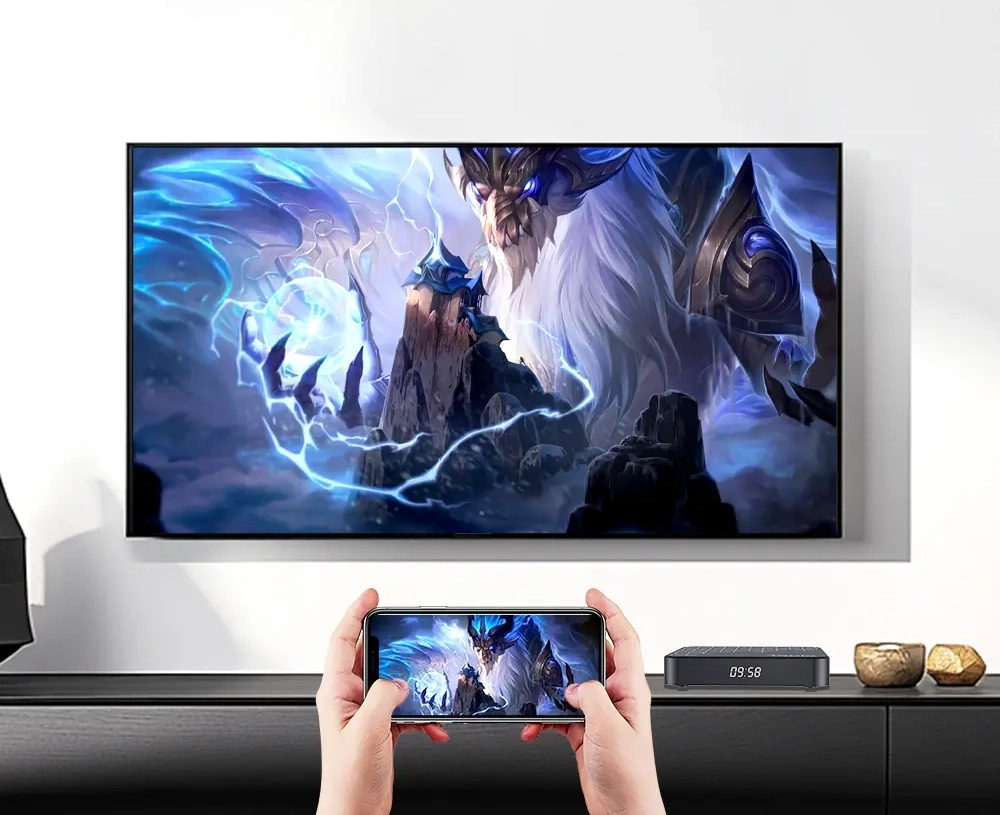
Gaming on an Android TV box is fun. Many games support controllers for a deeper experience. It’s perfect for those wanting more than just TV shows and movies.
Key Features to Look for in an Android TV Box
Choosing the right Android TV Box is important for a great viewing experience. These features affect how well the device works and if it fits with your home entertainment setup.
Processing Power and RAM Requirements
The power and RAM of an Android TV Box are key to smooth use. A quad-core processor is a good start for handling 4K streaming. You should also look for at least 2GB of RAM, but 4GB or more is better for running many apps at once.
Storage Options and Expandability
Storage is crucial because it affects how many apps you can have. Choose devices with enough internal storage. Also, look for models that let you add more storage with microSD cards. This makes your device more flexible.
Connectivity Options
Good connectivity is essential for a smooth entertainment experience. Make sure your Android TV Box has Wi-Fi and supports the latest standards like Wi-Fi 6. Bluetooth is also important for connecting devices. Having multiple HDMI ports lets you connect more devices, making the box more useful.
Operating System Versions and Update Support
The Android version is important because newer versions have better security and features. Choose a device with Android 11 or later. It’s also important to have regular software updates. Check if the maker provides updates on time.
Understanding Android TV Box Specifications
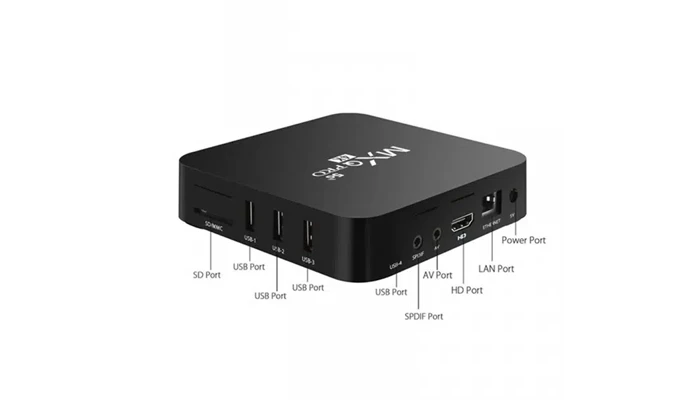
To get the most out of your Android TV box, it’s key to know its technical specs. The specs of an Android TV box greatly impact its performance and what it can do.
CPU and GPU Performance Explained
The Central Processing Unit (CPU) and Graphics Processing Unit (GPU) are key parts that affect an Android TV box’s performance. The CPU handles general tasks, while the GPU deals with graphics. A strong CPU means smooth navigation and multitasking. A good GPU enhances gaming and video playback.
CPU Performance: Look for Android TV boxes with modern CPU architectures like ARM Cortex-A series or Amlogic processors. These offer a good balance between performance and power use. For heavy users, a quad-core or higher CPU is best.
GPU Performance: For gaming and 4K video playback, a strong GPU is needed. Popular GPUs include Mali and Adreno. Make sure the GPU supports the latest graphics APIs and fits your TV’s resolution.
Memory and Storage Requirements for Different Uses
Memory (RAM) and storage are crucial for an Android TV box’s smooth operation. RAM temporarily stores data for quick access, while storage holds your apps, games, and media.
RAM: For basic streaming, 2GB of RAM is enough. But for gaming or 4K streaming, 4GB or more is better.
Storage: Internal storage varies among Android TV boxes. For users who plan to install many apps or store media locally, a box with expandable storage (via microSD cards) or a larger internal storage (at least 8GB) is wise.
Knowing these specs helps you pick an Android TV box that fits your needs, whether it’s for casual streaming or more demanding tasks.
Top Android TV Box Models in 2026
In 2023, the best Android TV boxes are fast, feature-rich, and affordable. As more people want streaming devices, makers are making these devices better.
NVIDIA Shield TV Pro: The Premium Powerhouse
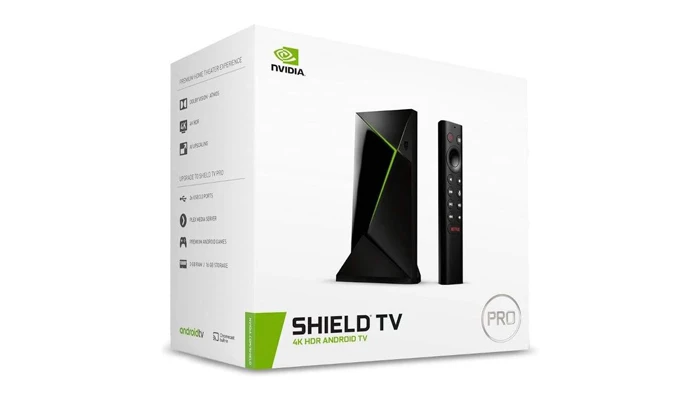
The NVIDIA Shield TV Pro is a top pick for its excellent performance and many features. It supports 4K HDR for streaming and gaming, perfect for a premium entertainment setup.
It has a strong processor and lots of storage, making it great for tough tasks. It also supports Dolby Atmos and DTS:X for amazing sound.
Xiaomi Mi Box S: Mid-Range Excellence
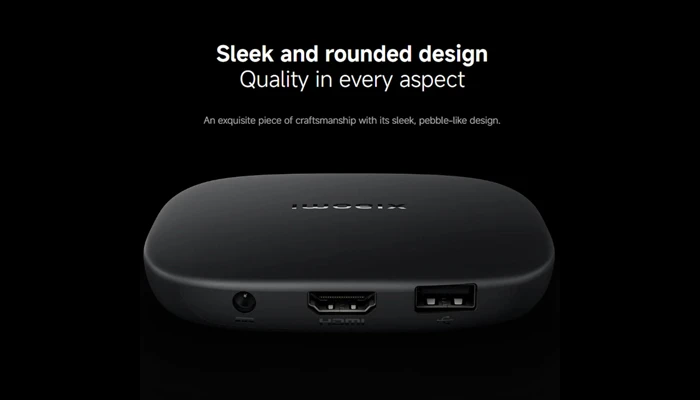
The Xiaomi Mi Box S is a mid-range Android TV box with big features. It streams in 4K HDR and supports many apps, including popular streaming services.
It’s affordable and packed with features, making it a smart choice for those on a budget who want quality.
Mecool KM2: Feature-Rich Option
The Mecool KM2 is a feature-rich Android TV box that balances price and performance well. It streams in 4K and has an easy-to-use interface.
It stands out for supporting many apps, making it versatile for different entertainment needs.
Beelink GT King: Performance Pick
The Beelink GT King is a high-performance Android TV box with a powerful processor and lots of storage. It’s made for gaming and high-definition streaming.
It has an advanced cooling system to stay cool during long use, making it reliable for heavy users.
The Best 4K TV Boxes for Ultra HD Streaming
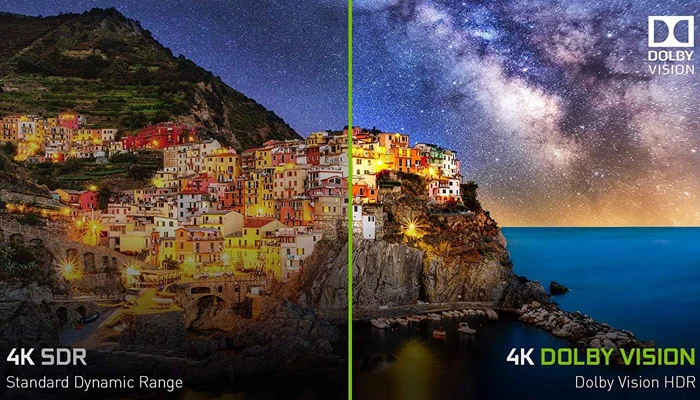
With more 4K content available, finding the best Android TV box for Ultra HD streaming is key. A 4K TV box can make your viewing experience better, with clear and sharp visuals. This makes your entertainment feel more real.
Essential Requirements for Smooth 4K Playback
To watch 4K smoothly, some things are needed. First, the TV box must have a strong processor for 4K content. A minimum of 4GB RAM is recommended to handle 4K streaming without lag.
Connectivity is also important. HDMI 2.0 or higher is essential for 4K playback at high frame rates. Also, support for HEVC (H.265) decoding is key, as it’s the standard for 4K content.
Top 4K Android TV Box Recommendations
Several Android TV boxes are great for 4K streaming. The NVIDIA Shield TV Pro is a top choice, with excellent performance and support for 4K HDR content.
The Xiaomi Mi Box S is another good option. It offers great value, supports 4K resolution, and has enough RAM for smooth operation.
When picking a 4K TV box, think about what you need. Choose a device that meets the essential requirements for 4K playback. This way, you’ll get a top-notch streaming experience.
Fully Loaded Android TV Boxes: What to Know
Android TV boxes called ‘fully loaded’ offer a better viewing experience. But what does this really mean? The term has become popular, linked to devices with many apps and content. Yet, using these devices has more than one side.
What Fully Loaded Actually Means
A ‘fully loaded Android TV box’ means a device with extra software or content. This includes streaming apps, games, or Kodi add-ons. They are seen as easy ways to get lots of content without needing to set up a lot or know a lot of tech.
But the term fully loaded can be confusing. It might suggest apps or content that aren’t legal.
These devices are handy, but users should know the risks. This includes legal problems and security issues.
Legal Considerations and Better Alternatives
Using a ‘fully loaded Android TV box’ can lead to legal issues. Many of these devices have copyrighted content without permission. This can put users at risk of legal trouble by watching pirated content.
Instead, there are safer choices. You can buy devices from trusted makers that follow the law. Or, use official app stores for content and apps. These might need more setup, but are safer and better for watching.
Knowing about ‘fully loaded Android TV boxes’ and looking for legal options helps. It lets viewers enjoy their shows while staying safe and legal.
Kodi and the Best XBMC Boxes for Streaming
Kodi is a top choice for those wanting to boost their streaming game. It’s a flexible media player that lets users dive into a vast library of content. From live TV to movies and music, Kodi has it all. Plus, it’s super customizable, making it a hit among streaming fans.
![XBMCMart Smart XBMCMart Android TV Box Player [Quad CORE 64 BIT 4K]](https://infogalaxy.site/wp-content/uploads/2026/02/08-XBMCMart-Smart-XBMCMart-Android-TV-Box-Player-Quad-CORE-64-BIT-4K.webp "Find the Perfect Android TV Box for Your Home 7")
Understanding Kodi and Its Capabilities
Kodi is incredibly powerful. It has a wide range of add-ons for accessing different types of content. Key features include:
- Access to a vast library of free and open-source add-ons
- Support for multiple video and audio formats
- Customizable interface with various skins and themes
- Ability to stream content from local networks or the internet
To fully enjoy Kodi, picking the right device is crucial. Some Android TV boxes are designed with Kodi in mind, offering a top-notch viewing experience.
Top Android TV Boxes Optimized for Kodi
Choosing the best Android TV box for Kodi can be a bit tricky. But here are some top picks:
- NVIDIA Shield TV Pro: Known for its powerful performance and support for 4K HDR content.
- Xiaomi Mi Box S: Offers great value for money, with support for 4K content and a compact design.
- Mecool KM2: Features a robust design and excellent performance, making it a great choice for Kodi users.
These devices are made for Kodi, ensuring a smooth and fun streaming experience. When picking a device, think about processing power, storage, and connectivity. This will help you get the most out of Kodi.
Budget Options: Onn TV Box and Alternatives
The Onn TV Box at Walmart is very affordable. It has many features that make it great for those watching their budget.
Walmart’s Onn TV Box: Features and Performance
The Onn TV Box uses Android 9.0. This lets you access lots of apps from the Google Play Store. It streams in 1080p and has 2GB of RAM for smooth performance.
It doesn’t support 4K, but it handles HD content well.
Key Features:
- Android 9.0 operating system
- 1080p streaming support
- 2GB RAM
- Affordable pricing
Other Budget-Friendly Android TV Boxes
There are other cheap Android TV boxes to look at. They have different features and performance levels. This means they can meet various needs and tastes.
| Device | Price | Resolution | RAM |
| Onn TV Box | $30 | 1080p | 2GB |
| Xiaomi Mi Box S | $40 | 4K | 2GB |
| Mecool KM2 | $50 | 4K | 3GB |
When picking a cheap Android TV box, think about the operating system, streaming quality, and RAM. This helps you find the best deal.
Super Box and Premium Android TV Options
Premium Android TV boxes, like the Super Box, offer advanced features and top-notch performance. They provide smooth 4K streaming, strong gaming, and a wide app selection. These devices are made for a better viewing experience.
Super Box Features and Performance Analysis
The Super Box is a top Android TV box with great specs. It has a fast processor, lots of storage, and supports 4K at 60fps. It also has dual-band Wi-Fi for reliable internet and an easy-to-use interface.
How Super Box Compares to Other Premium Choices
When looking at the Super Box against other top Android TV boxes, several things matter. The table below shows how the Super Box stacks up against two other models.
| Feature | Super Box | NVIDIA Shield TV Pro | Xiaomi Mi Box S |
| Processor | Quad-core | Quad-core | Dual-core |
| RAM | 4GB | 3GB | 2GB |
| Storage | 64GB | 16GB | 8GB |
| 4K Support | Yes, at 60fps | Yes, at 60fps | Yes, at 60fps |
The Super Box shines with its big storage and RAM, making it a top choice. But the NVIDIA Shield TV Pro is known for its amazing performance and AI features. The Xiaomi Mi Box S is a great deal for its price.
Setting Up and Optimizing Your Android TV Box
To get the most out of your Android TV box, setting it up right is key. This means following a few important steps. These steps make sure your device works well and efficiently.
First-Time Setup and Configuration
When you first turn on your Android TV box, a setup guide will appear. You’ll need to connect to Wi-Fi, sign into your Google account, and set some basic settings. Make sure to use the latest Wi-Fi standard for the best streaming.
Essential Apps and Add-ons
To make your Android TV box better, you’ll need to install some apps and add-ons. You should get popular streaming services like Netflix, Hulu, and Amazon Prime Video. Also, think about installing Kodi or other media center software to watch more content.
| App Name | Description |
| Netflix | Stream your favorite TV shows and movies. |
| Hulu | Access a wide range of TV shows, movies, and documentaries. |
| Kodi | A media player app that lets you stream or play various content. |
Performance Optimization Tips
To keep your Android TV box running well, update your device and apps regularly. Clearing the cache and removing unused apps can also help. Using a VPN can make your streaming safer.
By following these steps, you can make your Android TV box work its best for a great viewing experience.
Troubleshooting Common Android TV Box Issues
If your Android TV Box isn’t working right, there are steps to fix it. Issues like slow performance, buffering, and connectivity problems can be solved. Also, updating the software is important.
Fixing Performance and Buffering Problems
Performance issues like buffering can be fixed by checking your internet. Make sure your Android TV Box is connected to a fast network. Try restarting your device or clearing app caches.
Upgrading your internet plan might also help if you keep getting buffering.
Resolving Connectivity Issues
Connectivity problems can be fixed easily. First, check your Wi-Fi network and make sure your Android TV Box is connected. Try restarting your router or moving it closer to your device.
If you’re using Ethernet, check that the cable is securely connected to both your device and the router.
Updating and Maintaining Your Device
Keeping your Android TV Box updated is key to its performance and security. Regularly check for system updates and install them. Also, update your apps for the latest features and bug fixes.
Regular maintenance, like clearing cache and uninstalling unused apps, keeps your device running well.
Making the Right Android TV Box Choice for Your Home
Choosing the right Android TV box for your home needs is important. There are many options out there. You need to think about what you want and need to make a good choice.
First, think about how you plan to use your Android TV box. If you want 4K streaming, make sure it supports Ultra HD. Gamers need a strong processor and enough RAM for a smooth experience.
Also, check the operating system version and if it gets updates. A device with the latest Android version and regular updates is best. It gives you the newest features and keeps your device safe.
Look at the specs of different Android TV boxes. Compare things like CPU and GPU, memory, and storage. Brands like NVIDIA, Xiaomi, and Beelink have many models with different features and prices.
In the end, the best Android TV box for your home depends on your needs and budget. By considering these points and picking the right device, you’ll get a great entertainment experience. You’ll have access to lots of content and services.
You Might Also Enjoy: Top Smartphones to Consider in 2026